
Pango Sheep: Count & Play
Studio Pango - Kids Fun preschool learning gamesEducational
4.310.00 Reviews
- Version
- 1.6.2
- Installs
- 10.00K
- Age Rating
- Everyone
Screenshots
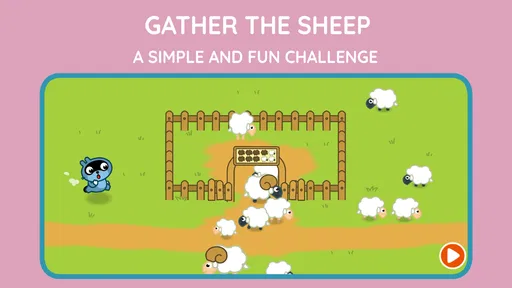
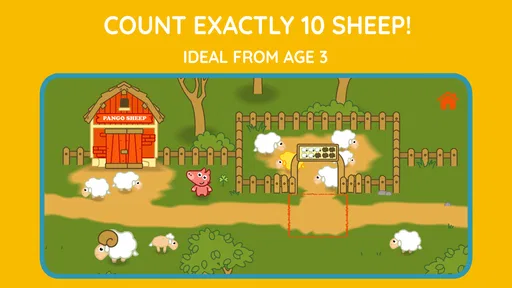
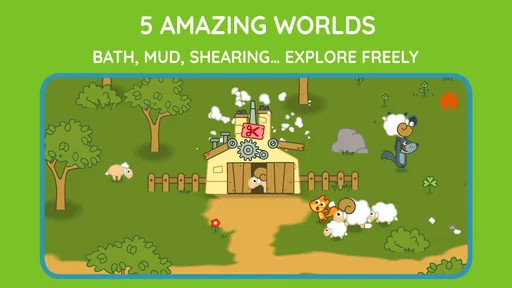
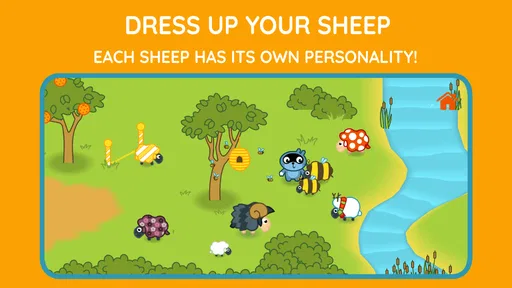
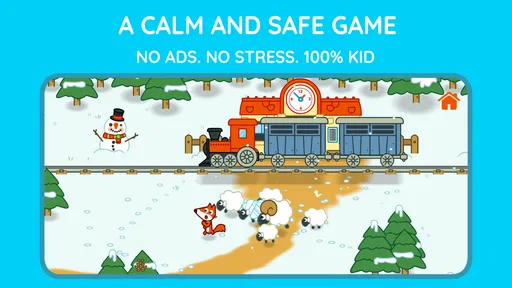
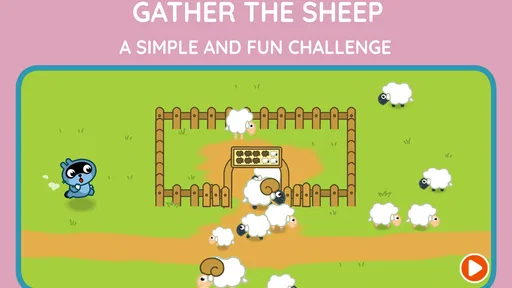
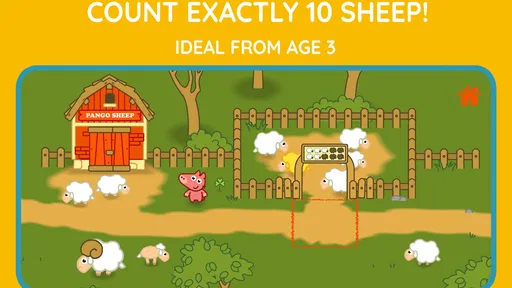
Our Review of Pango Sheep: Count & Play
 Analysis by Appyee
I found Pango Sheep: Count & Play most interesting as a calm, focused learning game rather than a large preschool entertainment package. It puts children in charge of exploring five illustrated worlds, locating sheep, and practicing numbers along the way. That simple combination gives it a clear purpose: a young child can play independently for short periods while still working on observation and early counting.
My overall impression is that this is best suited to families looking for a contained educational activity, not an endlessly expanding app. The $5.99 price makes it a considered purchase, but the experience feels more deliberate than many free preschool games that interrupt play with advertisements, reward loops, or unrelated content. I would recommend it most readily to parents who want something gentle and easy to understand, especially for children who enjoy searching and discovering objects.
How the five-world structure affects play
The central idea is easy for a preschooler to grasp: move through a world, look carefully, find the sheep, and engage with numbers. That matters because the child does not have to learn a complicated rule system before learning can begin. The visual search gives counting a practical context instead of presenting numbers as isolated symbols.
In my experience, this kind of design works particularly well for children who become restless with worksheet-style activities. A child may not want to sit and repeat number exercises, but may happily search a scene for a hidden animal. The educational value comes from connecting attention, recognition, and counting in one activity. It is still play, but the parent can see what skill the play is encouraging.
The five-world format also gives the game a natural sense of progress without needing a long campaign. Each setting can feel like a fresh invitation to look around, while the familiar sheep-finding goal helps the child understand what to do next. That balance is useful for preschoolers: too much novelty can be confusing, while too much repetition can become dull.
There is a practical limitation here. Children who expect constant action, rapid rewards, or a wide variety of mini-games may find the experience quiet. This is not the right choice for a child who wants racing, dramatic challenges, or a large collection of unrelated activities. Its strength is concentration, and concentration can feel slow to a child used to busier tablet games.
What the learning experience feels like
The number practice is most useful when an adult treats the game as a starting point for conversation. I would ask a child to count the sheep aloud, point to the objects being counted, and explain how they know they have found everything. That turns passive tapping into a small reasoning exercise and helps reveal whether the child is recognizing quantities or simply following the visual action.
A good everyday scenario would be a short session after preschool or before dinner. I would let the child explore one world, then pause and ask which sheep were easiest to find and how many were discovered. If the child starts rushing, I would stop the session rather than push through all five worlds. The game is more effective as a focused ten-minute activity than as background entertainment running for a long stretch.
It can also work well during quiet travel or while waiting for an appointment, provided the child is comfortable using the device. Because the concept is straightforward, a parent does not need to explain a complicated storyline. That makes it easier to hand over for a brief independent activity, although younger children may still need help with navigation or with understanding what the number task is asking.
Speed and responsiveness in ordinary use
There is no reason to approach this as a performance-heavy game. The design is aimed at preschool learning, with exploration and counting at its center rather than demanding action. On a device that meets its stated operating requirement, I would expect the basic experience to feel more relaxed than technically intense. The important question is not whether it behaves like a high-end game, but whether a child can move through a scene without frustrating delays.
The low-complexity concept is an advantage during short sessions. A child can open the game and get to the activity without needing to remember a complicated control scheme. That quick mental start is just as important as loading speed for a preschool audience. If a child has to wait or repeatedly ask an adult what to do, the educational moment is easily lost.
At the same time, I would not buy this expecting modern visual spectacle or the kind of immediate, highly animated feedback found in newer entertainment games. The appeal is in the worlds and the search, not in technical showmanship. Parents should judge it by whether it supports calm attention, not by whether it pushes a device’s graphics hardware.
What happens during longer or heavier sessions
The most demanding use case is not a single search through one world, but a child moving repeatedly between all five settings while an adult leaves the game open for a long time. That type of session can expose ordinary tablet problems such as a low battery, background interruptions, or a child accidentally leaving the activity. For that reason, I would use it in planned bursts rather than treating it as an all-afternoon application.
Another heavy-use moment is shared play with siblings. One child may want to lead while another reaches for the screen, and the simple search format can turn into hurried tapping. The game is better for one child at a time, or for an adult and child working together. If two children have very different abilities, the older one may take over the counting, reducing the younger child’s opportunity to practice.
There is also a learning trade-off in repetition. Replaying a world can help a child become more confident with counting and visual scanning, but repeated searching without discussion may eventually become mechanical. I would vary the way I use it: one session focused on finding, another on counting aloud, and another on describing where objects were located. That keeps the same content useful without pretending it offers unlimited variety.
Reliability and recovering from interruptions
For a preschool game, reliability includes more than avoiding crashes. It also means that a child can return after an interruption without feeling lost. A phone call, screen lock, or accidental exit is common when a child is using a family device. I would therefore start each session with the expectation that the child may need a quick reminder of the current goal.
The straightforward structure helps recovery because there is not a complicated plot to reconstruct. If a child returns to the game after a break, the parent can simply say, “Let’s look for the sheep again,” and the purpose is immediately clear. That is a meaningful advantage over educational games built around several menus, currencies, missions, or layered progression systems.
Still, parents should supervise the first few sessions. The child may tap through a screen too quickly, move away from the intended activity, or become unsure about what counts as completing a task. Watching once or twice lets an adult learn the game’s rhythm and decide whether the child can use it alone. I prefer this approach to assuming that every preschooler will understand the controls immediately.
The version shown for the game is 1.6.2, and it supports devices starting with operating system 7.1. That makes checking the intended device before purchase worthwhile, particularly if the family is using an older tablet. Compatibility is not the same as a guarantee of a perfect experience on every model, so I would also keep enough free battery and close unrelated apps before a longer session.
Device demands and practical family use
This is a better fit for a shared family tablet or an ordinary phone than for someone choosing a game specifically to demonstrate new hardware. Its preschool focus suggests a modest, self-contained experience, but the child’s comfort still depends on screen size and touch accuracy. A larger tablet can make searching scenes easier, while a small phone may require more careful pointing from younger players.
Screen position matters more than many parents expect. If the device lies flat on a table, a child can lean over it and lose a comfortable viewing angle. A stable stand or a supervised lap session may make the activity easier, especially when the child is learning to count objects rather than simply tapping quickly. This is a small setup change, but it can reduce frustration and improve attention.
I would also avoid presenting the game as a reward that must be played for a long time. Its value comes from focused interaction, so a short routine is more sensible: choose one world, complete the search, talk about the numbers, and stop while the child is still engaged. That approach reduces device fatigue and gives the adult a chance to connect the digital activity with real-world counting.
Families should also consider the child’s developmental fit. The Everyone content rating makes it broadly suitable from a content perspective, but age labels do not tell us whether every child will enjoy the same pace. A child who is just beginning to use a touchscreen may need an adult nearby. A child already comfortable with number games may want more challenge than this gentle format provides.
How it compares with common preschool alternatives
Compared with free preschool apps, the main attraction here is the absence of a need to build the experience around advertisements or a collection of unrelated prompts. The $5.99 purchase is not trivial, but it can be easier for a parent who wants one clearly defined activity instead of a free download that constantly encourages another action. I see the price as most defensible when the child genuinely enjoys searching and the family values a quieter experience.
Compared with workbook apps, this game gives children a more concrete reason to look at numbers. A worksheet may be better for tracing, writing, or practicing a particular numeral repeatedly. This game is better when the goal is to make counting feel connected to a scene. I would not use it as a complete early-math curriculum; I would place it alongside physical counting with blocks, snacks, toys, or household objects.
Compared with large educational subscriptions, it is narrower but also easier to understand. Subscription libraries can offer broader coverage, progress tracking, and activities for several ages. They may be the better choice for a household with children at different stages or for parents seeking a full learning platform. This title makes more sense when the family wants one focused preschool game and does not need a broad catalog.
It also differs from action-oriented children’s games because the challenge is observation rather than speed. That can be a benefit for a child who needs a calmer activity, but a drawback for one who learns best through movement and immediate competition. I would choose it for a patient, curious child who likes looking closely, not simply because the child is within the recommended content range.
Who will get the most from it
I think the strongest audience is preschoolers beginning to build confidence with numbers, especially those who enjoy picture searches. It can give parents a low-pressure way to start conversations about quantity, location, and careful observation. The developer, Studio Pango - Kids Fun preschool learning games, has positioned this as an early-learning title, and the focused design fits that purpose better than it would fit older children.
It is also useful for parents who want a predictable activity for transitions. A child can play while waiting for a meal, settling down after a busy day, or taking a short break from more stimulating entertainment. The five worlds offer enough structure to make a session feel like an activity, while the repeated sheep-finding idea means the child does not have to relearn the entire game every time.
I would skip it if the child needs advanced math, handwriting practice, extensive accessibility controls, or a deep progression system. I would also skip it if the family is specifically looking for a free option, because the one-time price may not fit every budget. Finally, children who dislike searching or who become frustrated when an object is not immediately visible may need a different kind of educational game.
What its audience response suggests
The game has an average rating of 4.3 from around 140 ratings, with roughly ten written reviews and over 10,000 installs. Those figures suggest a small but generally positive audience rather than a massive mainstream hit. I would read that as modest reassurance, not as proof that every child will respond to the same pace or visual style.
The release date of December 10, 2015 also affects how I would evaluate it. A title with that history may feel less aligned with current expectations for interface polish or device presentation than a newly released preschool game. That does not undermine the core learning idea, but it makes the focused scope more important: buyers should want this particular sheep-searching activity, not expect a constantly refreshed platform.
My performance verdict for families
From a practical performance perspective, this is a light, focused game whose success depends more on clear interaction than on demanding technology. The five-world layout should suit short sessions, ordinary family devices, and children who benefit from repetition. I would prepare the device, keep sessions purposeful, and introduce the game with an adult present before allowing independent play.
My final recommendation is positive but specific. Buy it if you want a calm preschool counting game that turns number practice into a visual search, and if the child is likely to enjoy finding sheep across illustrated worlds. Do not buy it as a substitute for a complete math program or a large educational library. In the right home, its restraint is the reason it works: the best results come from short play followed by real conversation and counting away from the screen.
Verdict
Strengths of Pango Sheep: Count & Play
- Simple counting activities are suitable for preschoolers.
- Cute sheep characters make the learning experience inviting.
- Short activities work well for brief play sessions.
- Touch controls are easy for young children to understand.
- Can encourage early number recognition through repetition.
Limitations of Pango Sheep: Count & Play
- Some children may outgrow the activities quickly.
- Limited challenge for children already comfortable with counting.
- Parents may want more progress tracking and learning reports.
- Repetitive tasks can reduce interest after extended play.
- Availability of certain content may depend on the app version.
Other Releases by Studio Pango - Kids Fun preschool learning games
View All
Pango Kids: Learning Games +3
Educational4.1

Pango Build & Explore City
Educational3.7

Pango Playground for kids
Educational4.0

Pango Factory: Coding Game
Educational3.1
Similar Picks in This Category
View All
Little Panda Policeman
BabyBus4.0

Monster Trucks Game for Kids 2
Raz Games4.1

Little Panda's Chinese Recipes
BabyBus4.4

Little Panda's Restaurant
BabyBus4.4

Little Panda's Ice Cream Games
BabyBus4.3

Baby Panda Care
BabyBus3.8
Frequently Asked Questions
What is Pango Sheep: Count & Play about?
Pango Sheep: Count & Play is an educational game designed for young children, combining simple counting activities with playful interactions. Players help Pango and the sheep complete entertaining challenges while practicing number recognition, counting, and basic problem-solving. The experience is presented in a colorful, friendly environment intended to feel more like free play than a traditional lesson.
What age group is Pango Sheep: Count & Play suitable for?
The game is mainly aimed at preschool and early-learning children, generally around ages three to six, depending on the child’s abilities. Its controls and activities are designed to be easy to understand, with limited reading required. Parents should still consider their child’s individual development, as younger players may need occasional guidance when first learning how each activity works.
Does Pango Sheep: Count & Play require an internet connection?
The core gameplay is generally suitable for offline use after the application has been installed, which makes it convenient for travel or areas with limited connectivity. However, internet access may be required for downloading the app, installing updates, restoring purchases, or accessing certain store-related features. It is best to open the game once while connected before giving it to a child offline.
Are there advertisements or in-app purchases in Pango Sheep: Count & Play?
Pango Sheep: Count & Play is presented as a child-friendly experience, and parents should check the current store listing for the exact advertising and purchase policy on their device. Depending on the version or platform, additional content may be offered through a paid download or optional purchase. Parents are advised to review parental controls and payment settings before allowing independent play.
Is Pango Sheep: Count & Play safe and easy for children to use?
The game uses simple touch controls, cheerful visuals, and gentle activities that are appropriate for early learners. Children can usually begin playing without complicated instructions, although an adult may need to explain the counting objective at first. As with any children’s app, parents should review privacy information, supervise initial use, and confirm that the downloaded version comes from the official Google Play or App Store listing.
Play our best games!


